


Uber Eats Order Manager
4.9455.00 Reviews
App Specs
- Version
- 40.220.10000
- Updated On
- License
- Free
- Downloads
- 1,000,000+
- Developer
- Uber Technologies, Inc.
- Categories
- Business
- Platform
- Android, iOS
Screenshots



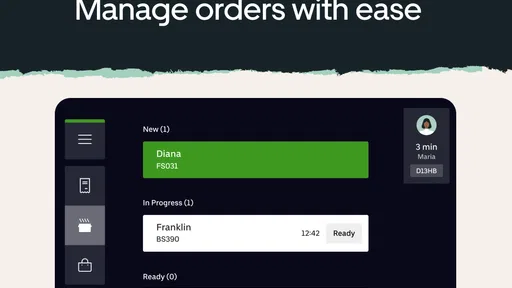
 Analysis by AppCompare
Have you ever been at the helm of a bustling restaurant, juggling orders like a circus performer? Enter the Uber Eats Order Manager. If you've got a smartphone and a restaurant to run, this app might just become your new best friend. Let me take you through my experience with this app, and why it could be the game-changer you didn’t know you needed.
The Setup: Easy Peasy Lemon Squeezy
Setting up the Uber Eats Order Manager is surprisingly straightforward. Once you download it from the app store, you're greeted with a sleek interface that feels like it’s holding your hand through the process. You log in with your Uber Eats credentials, and voila, you're in. The app syncs seamlessly with your existing Uber Eats account, pulling in all your restaurant’s juicy details.
What stood out to me initially was how intuitive the navigation felt. There are no hidden buttons or cryptic menus here. It’s as if the app designers knew exactly what a restaurant manager would need and put it right there on the screen. Simple, effective, and exactly what you need when you’re in the thick of a lunch rush.
Order Management: Your New Sous Chef
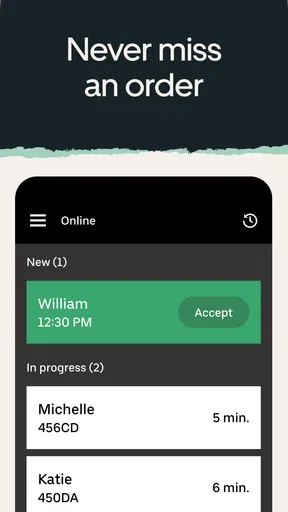
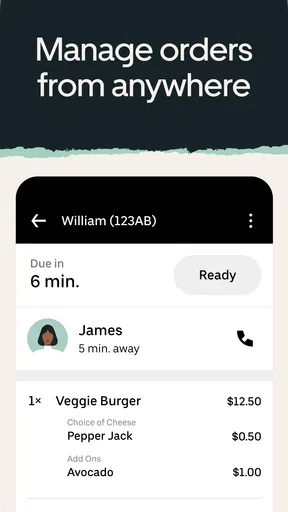
Once you’re set up, the real magic begins. The app’s primary function is to manage your incoming orders, and it does this with the finesse of a seasoned chef. Orders pop up as they come in, with all the details you need to get them out the door quickly. You can confirm orders, update their status, and even communicate directly with delivery partners if necessary.
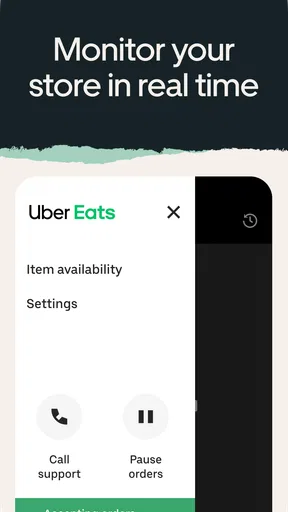
I found the real-time updates particularly helpful. Imagine this: an order comes in, you’re low on a particular ingredient, and you need to adjust on the fly. The app lets you do just that, with options to pause incoming orders or update your menu on the go. It’s like having a direct line to your kitchen from wherever you are.
Analytics: Crunching Numbers Like a Pro
Now, I’m not a numbers person, but the analytics feature in this app makes it almost fun to keep track of your restaurant’s performance. You get insights into what dishes are flying off the shelves, peak ordering times, and customer feedback. This is where you can really start to strategize and make data-driven decisions to boost your business.
It's like having a crystal ball for your restaurant's future. You can dissect data from different time periods, compare trends, and tweak your menu accordingly. It’s all about working smarter, not harder. And trust me, this feature will make you feel like a business wizard.
Worth Reading Before You Choose

EA SPORTS FC Mobile 26 Is a Bigger Football Game, but It Takes Time

Flipboard Shows What News Apps Must Do Beyond the Feed

Switching to Android Auto Means Rethinking Your Driving Routine

Google Calendar Makes a Crowded Week Easier to Manage

Ludo King Makes the Most of the Minutes Between Plans

Baby Panda World Brings Quick Play to Modern Phones, but Its Game Library Feels Busy
The Little Things: Features That Make a Big Difference
Let’s talk about those little features that might not seem like much but make a world of difference. For instance, the notification settings are fully customizable, so you’re not bombarded with updates that don’t matter to you. You can set it up to alert you only for new orders or when there’s a change in delivery status.
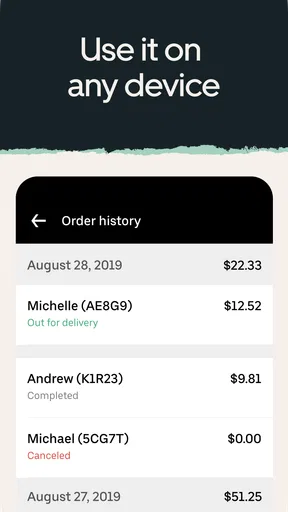
There's also a nifty search function that lets you dig through past orders. Ever need to find out what day you ran that special promotion or how well it went? Easy peasy. It’s those thoughtful touches that make the app feel like it was designed for real-world use.
Wrapping It Up: A Must-Have for Any Modern Restaurant
To sum it up, the Uber Eats Order Manager is a powerhouse of a tool for any restaurant manager. It streamlines operations, offers valuable insights, and frees you up to focus on what really matters—serving great food. Whether you’re managing a bustling bistro or a cozy café, this app has something to offer.
So, if you're ready to bring your restaurant into the digital age and make your life a whole lot easier, give this app a whirl. You might just wonder how you ever managed without it. Remember, in the fast-paced world of food service, every second counts, and the Uber Eats Order Manager is here to save you a bunch of them.
Pros
- User-friendly interface for quick navigation.
- Real-time order tracking for accurate updates.
- Customizable notifications for order alerts.
- Integrated payment options for convenience.
- Multi-language support for diverse users.
Cons
- Occasional app crashes disrupt experience.
- Limited support for smaller restaurants.
- High service fees for some users.
- Inconsistent delivery times during peak hours.
- Complex setup process for new users.
FAQs for Uber Eats Order Manager
What is Uber Eats Order Manager and how does it work?
Uber Eats Order Manager is an app designed for restaurants to manage their orders from the Uber Eats platform. It streamlines the process by allowing restaurants to accept, prepare, and track delivery orders all in one place. The app provides real-time updates and helps ensure orders are processed efficiently, enhancing the customer experience.
Which devices are compatible with Uber Eats Order Manager?
Uber Eats Order Manager is compatible with both Android and iOS devices. It can be installed on tablets or smartphones, making it a flexible solution for restaurants of any size. Ensuring your device meets the minimum system requirements is important for optimal performance and user experience.
Are there any costs associated with using Uber Eats Order Manager?
While downloading the Uber Eats Order Manager app itself is free, restaurants will incur costs related to the commission fees charged by Uber Eats for each order processed through the platform. These fees vary based on location and the specific agreement with Uber Eats, so it's advisable to review these terms before signing up.
What features does Uber Eats Order Manager offer to improve order handling?
Uber Eats Order Manager offers a range of features including real-time order notifications, the ability to adjust preparation times, and access to sales data. It allows restaurants to efficiently manage incoming orders, update menu items, and communicate with delivery drivers, helping streamline operations and improve service.
How secure is the Uber Eats Order Manager app?
Uber Eats Order Manager is designed with security in mind. It uses encryption to protect sensitive data and ensures that transactions are secure. Additionally, the app requires authentication for access, helping safeguard restaurant information and customer data. Regular updates help maintain security and address potential vulnerabilities.


